Posts

Best Computer Brand in the World

Everybody always ask for the best brand that is available in the market. This following article is a brief information of the best computer brands that can be found in the market all around the world.  If you are thinking which is the best computer brand to buy, then you are on the perfect place on the web. There are several computer brands that will provide you with a range of  hardware, desktops and workstation and even laptops. However, a major hurdle is the right brand, as there are countless companies, that have many tempting offers for computers, laptops and desktops alike. The following list is a compilation of brands that have gained a good level of reputation in the market. The sales, products, goodwill and popularity of such brands say it all. Apple : The brand of Steve Jobs and the brand that maintains quality. Apple computers are known for their quality control, research and development and also their willingness to maintain a specific proce...
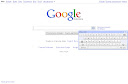
Google Search Engine Keyboard

Image
Hi there .... Google have a new stuff again. yeah, keyboard tools for typing word by word that you want to search. This is a new feature that i just found today on Google. It's amazing isn't ?? Hopefully this tool could help you guys. Enjoy it and we'll see what else from GOOGLE

Changing Google Desktop Wallpaper

Did you know that right now Google have something different in front of it Search Engine ?? Yeah, now everyone that having a Google Accounts could change the Wallpaper Background. Just login with your Google Account then you could select one of the picture that already uploaded by Google. But wait ... not only that, Google also have another options for you .... what exactly it is ?? Google also give you a flexibility to change the wallpaper with your own wallpaper in 800 x 600 pixel. If you want to change to the default wallpaper, just click Remove Wallpaper on the left bottom of the wallpaper. That's all for today guys, we will wait what it's gonna happen with Google next time. I hope it's gonna surprising everyone around the world !!! cheers

Send Out Executable Files Via Gmail

users to send and receive executable files (files with the extension ".exe", ".dll", ".ocx" or ".bat") in its policy. If you try to send these files, Gmail will send you an error message: "This is an executable file. For security reasons, Gmail does not allow you to send this type of file." You might try to zip or compress the files into other formats such as ".zip", ".tar", ".tgz", ".taz", ".z" or ".gz". However, your Gmail account will bounce back your message. How to send executable files with your Gmail account if you really need to do so? Of course the easiest way is to use other email services such as Yahoo to send your important executable files. However, if you are still set on using Gmail to send your executable files, there are a few ways you can try: You can rename your executable files from the "exe" extension to other formats such as "doc...

Removing the Recycle Bin from the Desktop

If you don't want to use the Recycle Bin to store deleted files , you can get rid that icon all together. Run Regedit and go to: HKEY_LOCAL_MACHINE/ SOFTWARE/ Microsoft/ Windows/CurrentV ersion/explorer/ Desktop/NameSpace

Modify Color Selection of Default Theme

Open registry by going to Start then Run . Entering Regedit , navigate to [ HKEY_USERS\DEFAULT\Software\ Microsoft\ Windows\CurrentVersion\ThemeManager ] and locate the key " ColorName ". Right click on it and select modify its value from " NormalColor " to " Metallic " click OK , and exit Regedit then restart your computer.

Stopping XP from Displaying Unread Messages Count on Welcome Screen

To stop Windows XP from displaying count of unread messages, Open registry and navigate to [ HKEY_CURRENT_ USER\Software\ Microsoft\ Windows\CurrentV ersion\UnreadMai l ] and look for the data key  " MessageExpiryDays " . If you do not see this key, create one  DWORD key by the name " MessageExpiryDays " . Setting its value to 0 would stop Windows XP from displaying the count of unread messages.

Restarting Windows without Restarting the Computer

When you click on the SHUTDOWN button, make sure to simultaneous press SHIFT Button. If you hold the Shift key down while *** on SHUTDOWN button, you computer would restart without restarting the Computer. This is equivalent to term " HOT REBOOT ".

Disabling the use of Windows Key

If your are a gaming freak then you must be sick of the Windows Key in your keyboard. To disable use of Win key, open registry by going to Start then Run and entering Regedit . Navigate to [ HKEY_LOCAL_ MACHINE\SYSTEM\ CurrentControlSe t\Control\ Keyboard Layout ] . In this look for value of " Scancode Map ". Its binary data so be extra careful: Set its value to " 00 00 00 00 00 00 00 00 03 00 00 00 00 00 5B E0 00 00 5C E0 00 00 00 00 " to disable the Windows Key.

Customize Internet Explorer's Title Bar

Open Registry by going to Start then Run and enter Regedit . Navigate to HKEY_CURRENT_USER\Software\ Microsoft\ Internet. Explorer\Main . In right hand panel look for string " Window Title " and change its value to whatever custom text you want to see.

Get Drivers for your Devices

Visit Windows Update (XP Only) Look at the left hand pane and under Other Options click Personalize Windows Update . Now in the right hand pane check the box - Display the link to the Windows Update Catalog under see also Below Choose which categories and updates to display on Windows Update - make sure you check all the boxes you want shown. click Save Settings Now look in the left hand pane under See Also click Windows Update Catalog and choose what you're looking for. Choose either MS updates or drivers for hardware devices. Start the Wizard and off you go.

Removing the Shortcut Arrow from Desktop Icons

Goto Star t then Run and enter Regedit . Navigate to H KEY_CLASSES_ ROOTlnkfile . And delete the I sShortcut registry value . You may need to restart Windows XP .

Change Drive Letters

Go to Start > Control Panel > Administrative Tools > Computer Management > Disk Management , then right-cl!ck the partition whose name you want to change (click in the white area just below the word "Volume") and select "change drive letter and paths." From here you can add, remove or change drive letters and paths to the partition.

Making Private Folder

Open My Computer then double-click the drive where Windows is installed (usually drive (C, unless you have more than one drive on your computer). If the contents of the drive are hidden, under System Tasks, click Show the contents of this drive . Double-click the Documents and Settings folder . Double-click your User Folder . Right-click any folder in your user profile, and then click Properties. On the Sharing tab, select the Make this folder private so that only I have access to it check box.

Customize Logon prompt with your Own Words

Open Registry by going to Start then Run , entering REGEDIT and Navigate to : [ HKEY_LOCAL_ MACHINE\SOFTWARE \Microsoft\ Windows NT\CurrentVersion\ Winlogon] In right pane, look for key by the name " LogonPrompt " . Set its value to whatever text you want to see displayed at login screen. IP address of your connection: Go to Start then Run. Enter ' cmd ' and then enter 'i pconfig ' .Add the ' /all ' switch for more info .

Improving the Slow Boot Up Time

There are a variety of reasons why your windows XP system would boot slowly. Most of the times it this has to do with the startup applications. If you would like to speed up the boot up sequence, consider removing some of the startup applications that you do not need. The easiest way is  to remove startup applications through System Configuration Utilit y. Go to  Start then Run and enter MSCONFIG and go to the Startup Tab . Deselect/UnCheck application(s) that you do not want to startup at boot time.

Removing Shared Documents folder From My Computer Window

Open registry editor by going to Start then Run and entering regedit. Once in registry, navigate to key HKEY_LOCAL_MACHINE \ SOFTWARE \ Microsoft \ Windows \ CurrentVersion \ Explorer \ My Computer \ NameSpace \ DelegateFolders You must see a sub-key named {59031a47-3f72- 44a7-89c5- 5595fe6b30ee} . If you delete this key, you have effectively removed the my shared documents folder.

Renaming The Recycle Bin Icon

To change the name of the Recycle Bin desktop icon, you must do this steps : click Start then Run , write  REGEDIT  and press Enter. It will opens Registry Editor Windows. Now in Registry Editor go to: HKEY_CLASSES_ ROOT/CLSID/ {645FF040- 5081-101B- 9F08-00AA002F954 E} and change the name " Recycle Bin " to whatever you want (don't type any quotes). Managing Tasks : You can at last get rid of tasks on the computer from the command line by using 'taskkill /pid' and the task number, or just 'tskill' and the process number. Find that out by typing 'tasklist', which will also tell you a lot about what's going on in your system.

Increasing Bandwidth By 20%

Microsoft reserves 20% of your available bandwidth for their own purposes like Windows Updates and interrogating your PC etc To get it back: click Start then Run and type " gpedit.msc " without quotes. This opens the group policy editor. Then go to: Local Computer Policy then Computer Configuration then Administrative Templates then  Network then QOS Packet Scheduler and then to Limit Reservable Bandwidth . Double click on Limit Reservable Bandwidth . It will say it is not configured, but the truth is under the 'Explain' tab i.e. "By default, the Packet Scheduler limits the system to 20 % of the bandwidth of a connection, but you can use this setting to override the default." So the trick is to ENABLE reservable bandwidth, then set it to ZERO . This will allow the system to reserve nothing, rather than the default 20%. It also works with Windows 2000.

Creating Shutdown Icon or One click Shutdown

Navigate to your desktop. On the desktop, right-cl!ck and go to New, then to Shortcut (in other words, create a new shortcut). You should now see a pop-up window instructing you to enter a command line path. Use this path in "Type Location of the Item" SHUTDOWN -s -t 01 If the C: drive is not your local hard drive, then replace "C" with the correct letter of the hard drive. cl!ck the "Next" button. Name the shortcut and cl!ck the "Finish" button. Now whenever you want to shut down, just cl!ck on this shortcut and you're done.